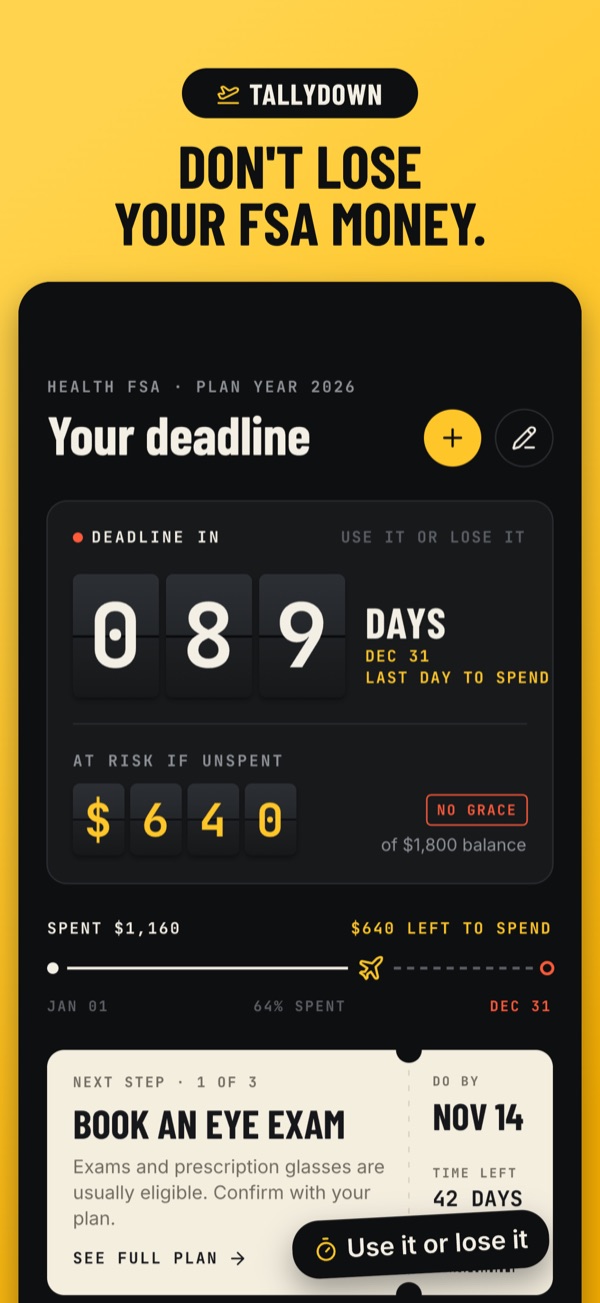
Most health FSAs are use it or lose it: money you don't spend by the deadline goes back to your employer. Tallydown keeps that deadline in front of you and turns what's left into a short plan.
Your FSA deadline, always in view
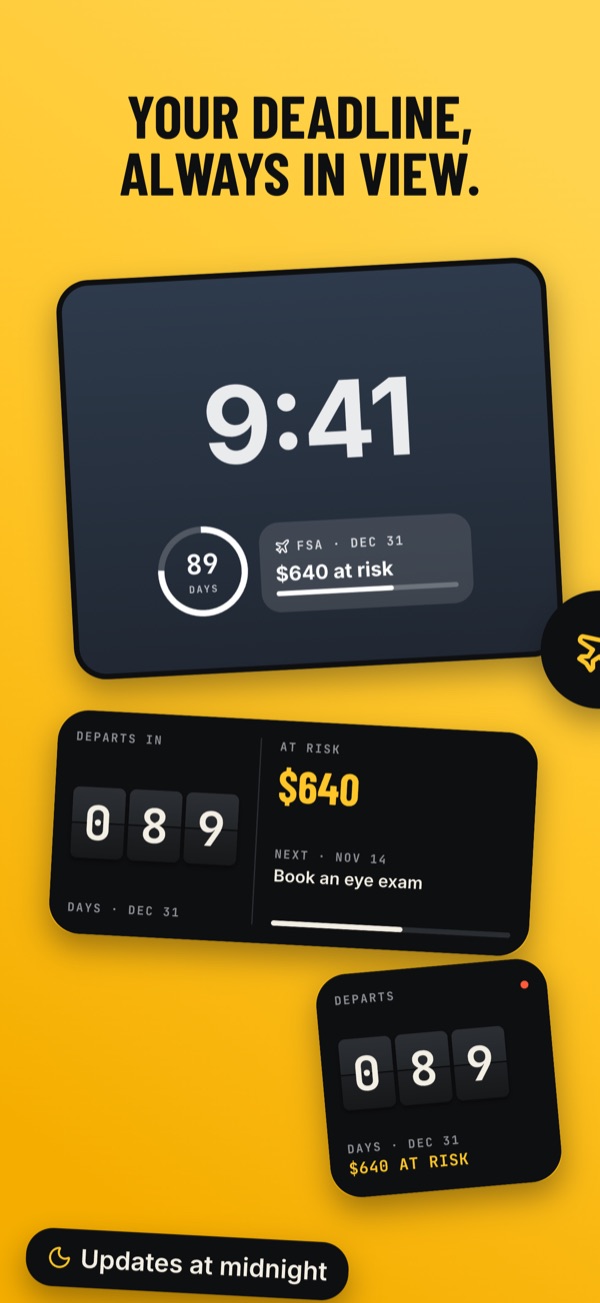
Enter your balance, your plan year end and whether your plan has a grace period or a carryover. Tallydown works out your real last day to spend and counts down to it, in the app and on your Lock Screen and Home Screen with widgets.
See the money at risk
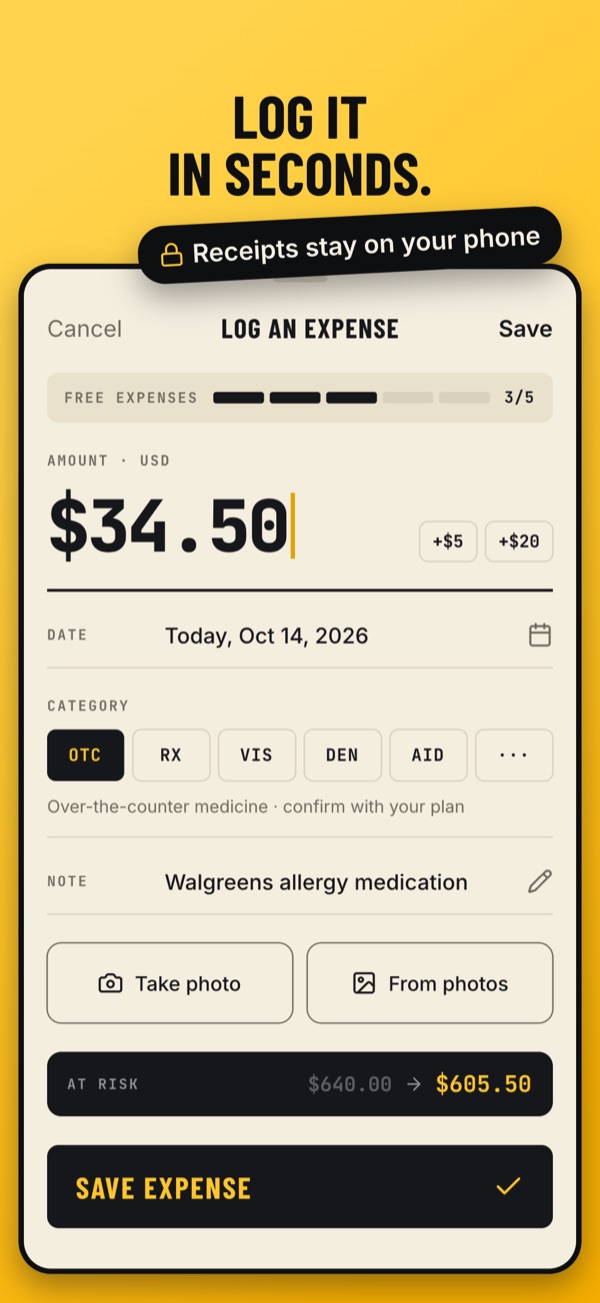
Every expense you log lowers the amount at risk, so you always know how much you'd forfeit if the deadline were today. Add a photo of the receipt for when you file a claim.
A plan to spend what's left
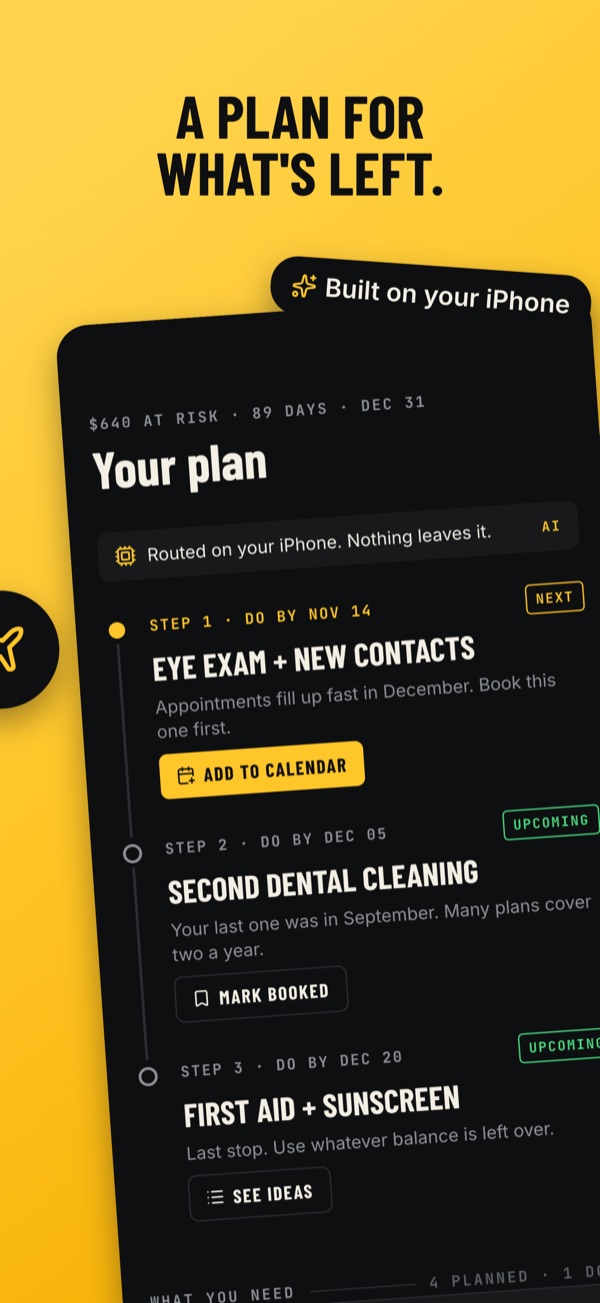
Tallydown builds a short, dated plan for your remaining balance: book the eye exam first, because appointments fill up in December, then the dental cleaning, then a first aid and sunscreen restock. Add each step to your calendar. The plan is written on your iPhone, by Apple Intelligence when your device supports it and by built-in rules when it doesn't.
Know what you can still buy
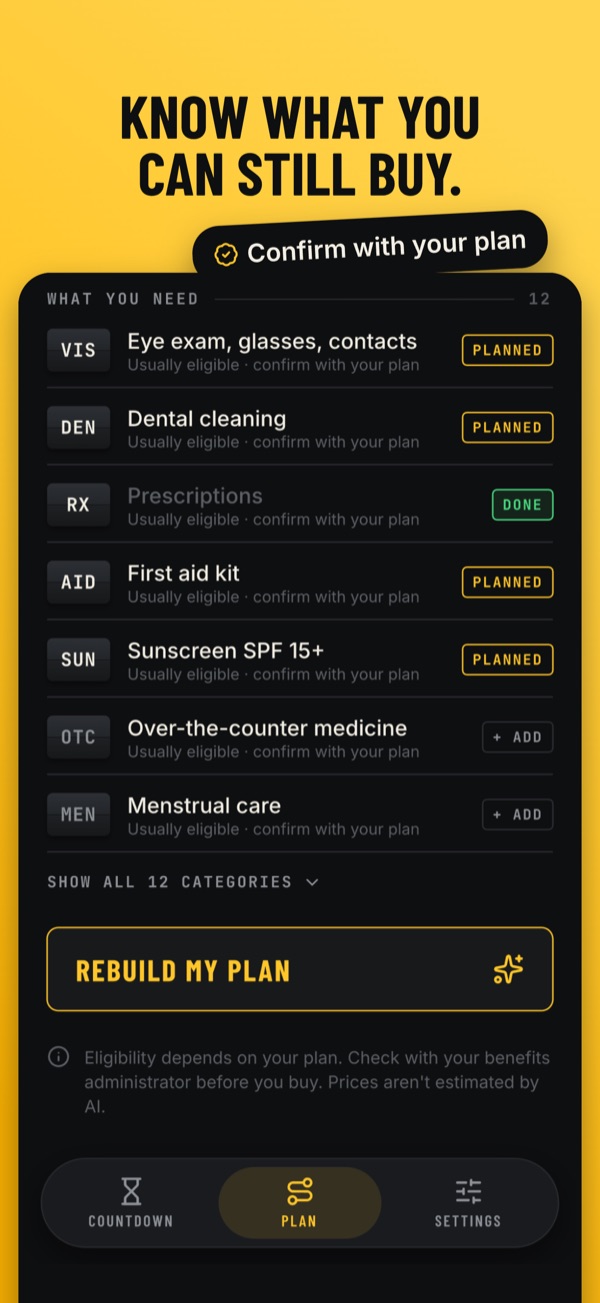
A checklist of commonly eligible FSA categories, from vision and dental to over-the-counter medicine, menstrual care and sunscreen, so you can mark what's planned and what's done. See the full list of FSA-eligible expenses.
Private by design
No account, no sign-up and no bank or FSA login. Your plan, expenses and receipt photos stay on your iPhone. Read the Privacy Policy.
What's included
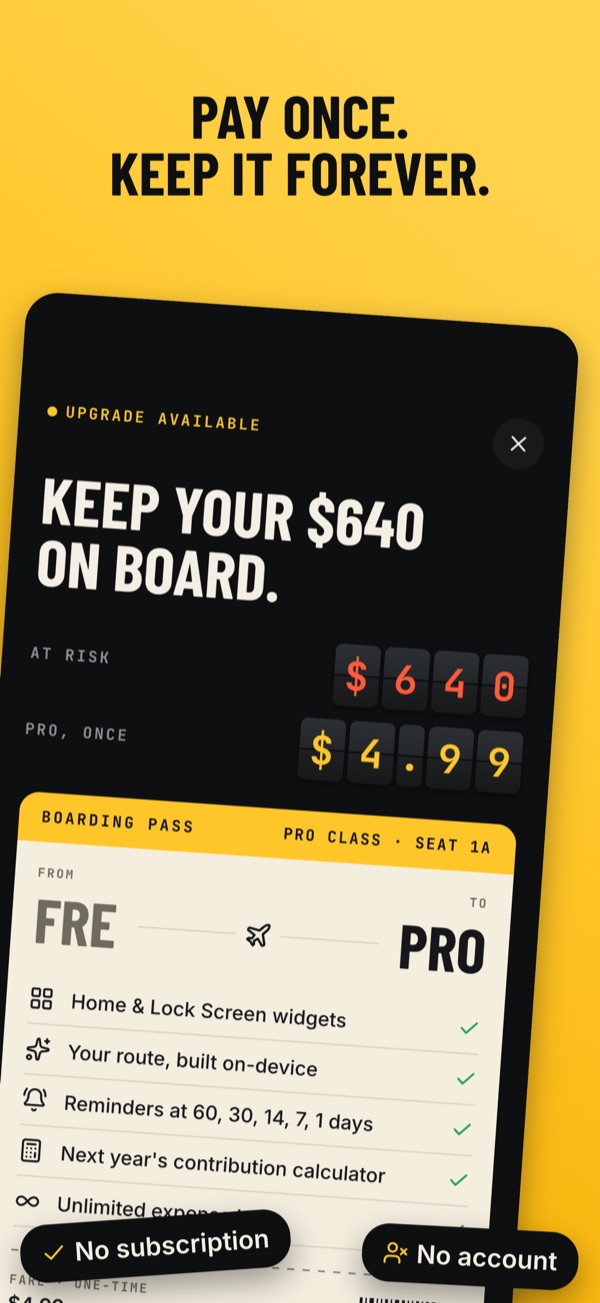
| Included | Tallydown Pro |
|---|---|
| Deadline countdown and money at risk | Your spending plan, step by step |
| Eligible-category checklist | Unlimited expenses |
| Up to 5 logged expenses | All Lock Screen and Home Screen widgets |
| Lock Screen widget with money at risk | Reminders 60, 30, 14, 7 and 1 days before your deadline |
| Next year's contribution calculator |
Tallydown Pro is a one-time in-app purchase. Pay once and keep it. No subscription.
FSA guides
- FSA deadline 2026: when does your money expire?Plan year end, grace period, run-out period and what happens to money you don't spend.
- What can I buy with my FSA?Commonly eligible expenses, from eye exams to sunscreen, and what needs a prescription.
- FSA grace period vs. carryoverHow the two rules differ, the 2026 carryover limit, and how to tell which one your plan has.
Questions
When is my FSA deadline?
For most calendar-year plans, the last day to spend is December 31. A grace period can extend it to March 15, and your plan may give you extra time after that to file claims. The FSA deadline guide explains how to find yours.
What happens to FSA money I don't spend?
Under the use-it-or-lose-it rule, it's forfeited to your employer, unless your plan offers a carryover (up to $680 from plan years starting in 2026) or a grace period. See grace period vs. carryover.
Does Tallydown connect to my FSA account?
No. You enter your balance and expenses yourself, so there's no bank or FSA login and nothing leaves your iPhone.
Does Tallydown tell me if an expense is eligible?
It shows categories that are commonly eligible, but only your plan administrator decides what it reimburses. Always confirm with them before you buy.
Does it work for HSAs?
No. HSA money doesn't expire, so there's no deadline to count down. Tallydown is built for health FSAs.
Tallydown isn't tax or medical advice. Always confirm eligibility with your plan administrator.